Note: Sadly, this workaround is for the PC platform only. Sorry! How It WorksSince Tracktion MIDI clips can not hold Channel Aftertouch (AT) data, the solution is obvious: Convert the AT data to a format that Tracktion DOES support. Then convert it back to AT before sending it to the synth. However, that's easier said than done: Not many MIDI utilities are up to the job, and you need to perform some special routing in Tracktion to get everything up and running. What You Need
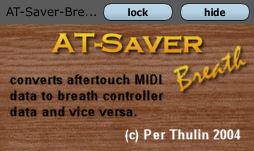 Download one or both ATsaver plugin versions here: Go here for a good Virtual MIDI Cable Application: Having downloaded, install these items on your computer: Put the AT-saver plug in a
VST plugin folder and make sure you rescan the plugins in Tracktion so that Tracktion
adds it to the plugin list.
In order to "pre-process" the AT data, i.e. convert it to breath controller/foot pedal data before
it is recorded in Tracktion, you need to set up a special MIDI input pre-processing track, and route
the midi output from that track back into another Tracktion track - the one that will hold the actual
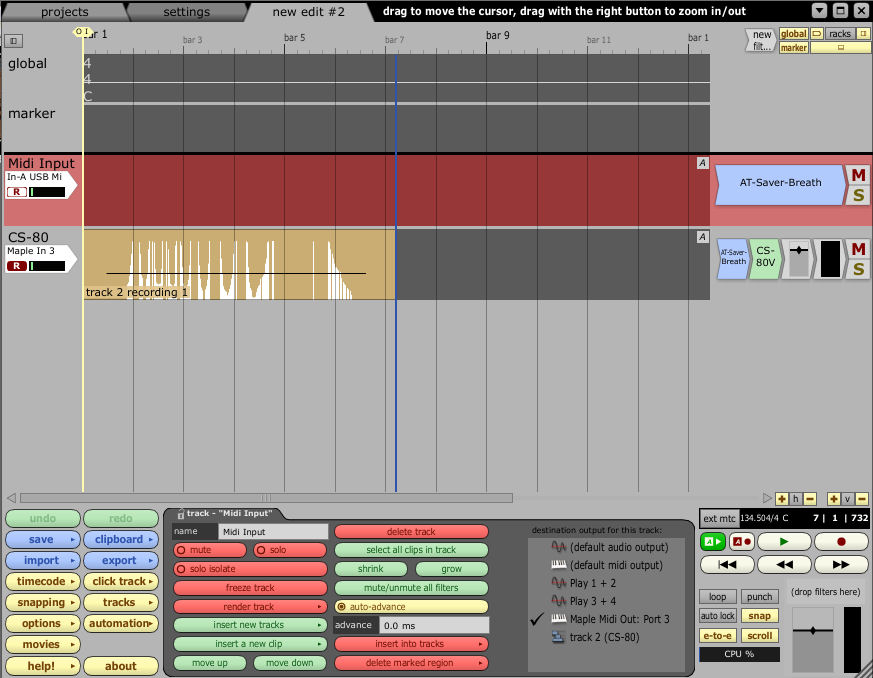
MIDI clips with the recording. In the screenshot above, the selected "Midi Input" track receives data from the MIDI keyboard.
In the property panel for this MIDI Input Device, you should set the recording action to "end-to-end
from this device, but don't actually record". This track only has one purpose - to send the MIDI data
through the AT-saver plugin, converting AT data to Breath Controller data. The Midi Input track is routed to the virtual MIDI port "Maple Midi Out: Port 3" as can be seen in the
properties panel in the screenshot. The CS-80 track - the "real" track -- has the corresponding Maple Midi In: Port 3
as its MIDI input device. This device should be set to a "normal" recording mode. The final step is to place another instance of the AT-saver plugin just before the synthesizer that
will play the MIDI data. This converts the data back to the original AT messages.
Arm both inputs for record, and you are ready to go! The result of our efforts can be seen in the clip
on the CS-80 track - the white vertical lines are breath controller data, safely saved in the MIDI clip. |